
Snowflake Cortex CLI Complete Testing Guide
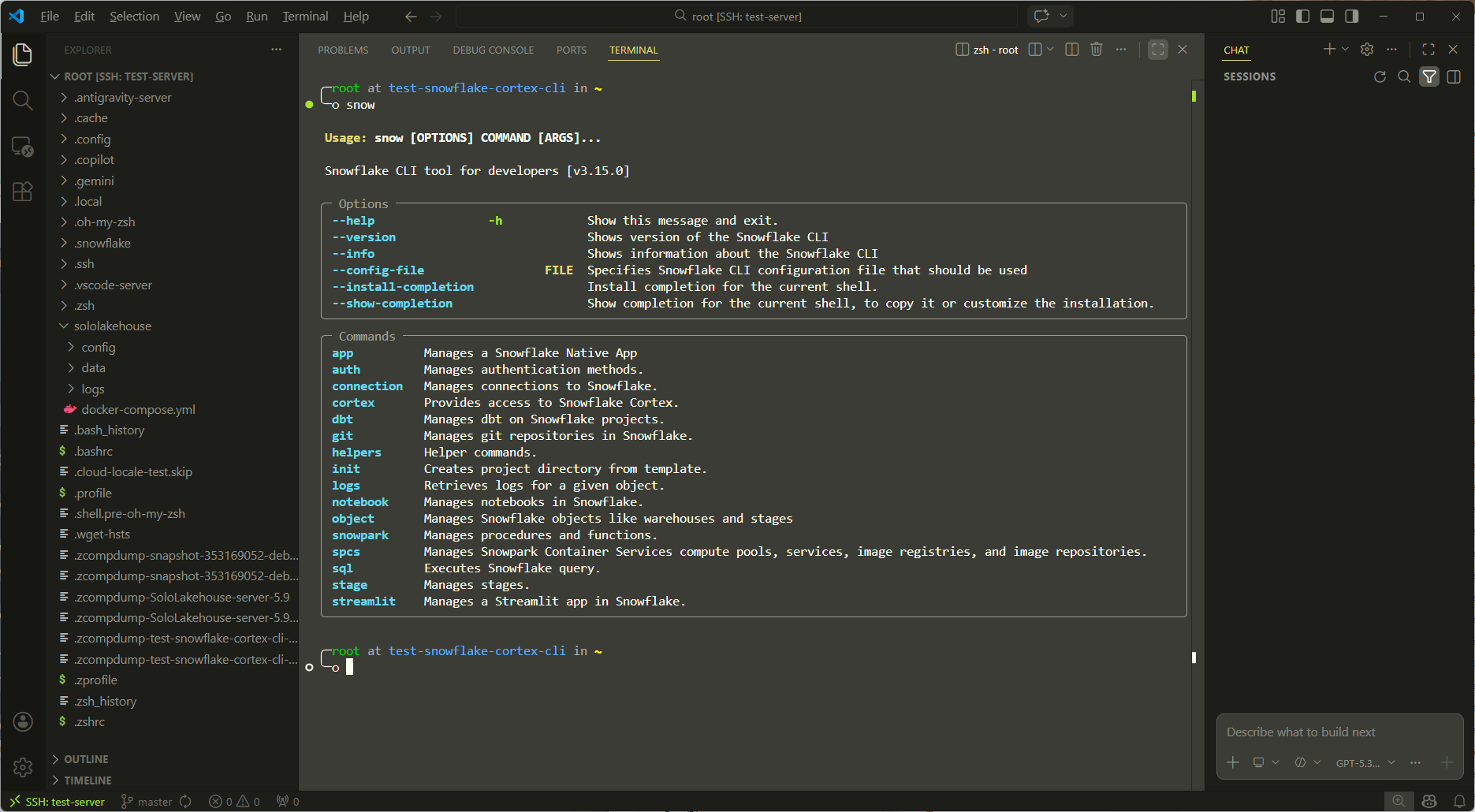
Environment: Linux VPS (Ubuntu 20.04/22.04)
Goal: Configure Snowflake CLI from scratch and systematically test Cortex LLM, Cortex ML, Cortex Search, and other core features
Estimated Duration: 2–3 hours (including account registration)
Chapter 1: Background — What is Snowflake Cortex?
Before getting started, establish the right mental model.
Snowflake Cortex is Snowflake's built-in AI capability layer, divided into three sub-modules:
Cortex LLM Functions — Call large language models directly within SQL, e.g., SNOWFLAKE.CORTEX.COMPLETE(), SUMMARIZE(), SENTIMENT(), TRANSLATE(). Models run on Snowflake's compute layer; data never leaves your Warehouse.
Cortex ML Functions — Built-in AutoML capabilities including time-series forecasting (FORECAST), anomaly detection (ANOMALY_DETECTION), and classification (CLASSIFICATION). No training code required — purely SQL-driven.
Cortex Search / Cortex Analyst — Vector semantic search and a natural-language-to-SQL (Text2SQL) engine for building RAG pipelines and BI copilots.
The role of the CLI: Snowflake CLI (the snow command-line tool) is the official local client. You can use it on a VPS to execute SQL, manage objects, and call Cortex APIs — the entire workflow requires no browser.
Chapter 2: Prerequisites
2.1 Register a Snowflake Free Trial Account
Go to https://signup.snowflake.com and select the following configuration:
- Cloud Provider: AWS (broadest Cortex LLM support)
- Region:
AWS US West 2 (Oregon)orAWS EU West 1 (Ireland)(Ireland recommended for Frankfurt-based users) - Edition: Enterprise Trial (30 days, $400 credit)
⚠️ Note: Cortex LLM Functions are not yet supported in all regions. AWS US West 2 is the most stable choice.
After registration, record the following — all subsequent configuration depends on these:
Account Identifier:  <org_name>-<account_name>  (e.g., myorg-ab12345)
Username:            The username you registered with
Password:            The password you set
Default Warehouse:   COMPUTE_WH
Default Database:    SNOWFLAKE_SAMPLE_DATA (or create a new one)
2.2 VPS Environment Check
After SSH-ing into your VPS, run:
# Confirm Python version >= 3.8
python3 --version

# Confirm pip is available
pip3 --version

# Confirm network can reach Snowflake
curl -I https://app.snowflake.com
Chapter 3: Install Snowflake CLI
Snowflake CLI (snow) is the official tool that went GA in 2024, replacing the older SnowSQL.
3.1 Installation
# Install snowflake-cli
curl -LsS https://ai.snowflake.com/static/cc-scripts/install.sh | sh

# Verify installation
snow --version
# Expected output: Snowflake CLI version: 2.x.x
If you encounter a PATH issue:
# Add pip-installed executables to PATH
echo 'export PATH="$HOME/.local/bin:$PATH"' >> ~/.bashrc
source ~/.bashrc
snow --version
3.2 Alternative: Use SnowSQL (classic client)
If the snow CLI installation fails, you can use SnowSQL as a fallback:
# Download SnowSQL
curl -O https://sfc-repo.snowflakecomputing.com/snowsql/bootstrap/1.2/linux_x86_64/snowsql-1.2.32-linux_x86_64.bash

bash snowsql-1.2.32-linux_x86_64.bash

# Verify
snowsql --version
Chapter 4: Configure the Connection
4.1 Initialize Connection Configuration (recommended)
snow connection add
The CLI will prompt you interactively. Fill in as follows:
Connection name:     my_snowflake          # Any name you like
Account:             myorg-ab12345         # Your Account Identifier
Username:            YOUR_USERNAME
Password:            (input is hidden)
Role:                ACCOUNTADMIN          # Use highest privileges for testing
Warehouse:           COMPUTE_WH
Database:            (leave blank; set later with USE in SQL)
Schema:              (leave blank)
4.2 Test the Connection
snow connection test --connection my_snowflake
# Expected output: Connection my_snowflake is valid ✓
4.3 Manually Edit the Config File (advanced)
The config is stored at ~/.snowflake/config.toml and can be edited directly:
[connections.my_snowflake]
account = "myorg-ab12345"
user = "YOUR_USERNAME"
password = "YOUR_PASSWORD"
role = "ACCOUNTADMIN"
warehouse = "COMPUTE_WH"
Chapter 5: Set Up the Base Environment (Database and Schema)
Before testing Cortex, create a clean test environment.
# Check current context
snow sql --connection my_snowflake -q "SELECT CURRENT_USER(), CURRENT_ROLE(), CURRENT_WAREHOUSE();"
Then create the test database:
snow sql --connection my_snowflake -q "
CREATE DATABASE IF NOT EXISTS CORTEX_TEST_DB;
USE DATABASE CORTEX_TEST_DB;
CREATE SCHEMA IF NOT EXISTS CORTEX_SCHEMA;
USE SCHEMA CORTEX_SCHEMA;
"
Chapter 6: Test Cortex LLM Functions
This is the core functionality of Cortex. LLM Functions call models such as Mistral, Llama, and Arctic directly from Snowflake SQL.
6.1 Test COMPLETE — General Text Generation
snow sql --connection my_snowflake -q "
SELECT SNOWFLAKE.CORTEX.COMPLETE(
  'mistral-7b',
  'Explain what a Data Lakehouse architecture is in 2 sentences.'
) AS response;
"
Expected: Returns a block of AI-generated text.
Test different models (replace the first argument):
# Test Llama 3
snow sql --connection my_snowflake -q "
SELECT SNOWFLAKE.CORTEX.COMPLETE(
  'llama3-70b',
  'What is DORA regulation in EU financial sector?'
) AS response;
"

# Test Snowflake Arctic (most credit-efficient)
snow sql --connection my_snowflake -q "
SELECT SNOWFLAKE.CORTEX.COMPLETE(
  'snowflake-arctic',
  'List 3 differences between Delta Lake and Apache Iceberg.'
) AS response;
"
6.2 Test SENTIMENT — Sentiment Analysis
Create a test table first:
snow sql --connection my_snowflake -q "
USE DATABASE CORTEX_TEST_DB;
USE SCHEMA CORTEX_SCHEMA;

CREATE OR REPLACE TABLE customer_reviews (
  review_id INT,
  review_text VARCHAR(1000)
);

INSERT INTO customer_reviews VALUES
  (1, 'The platform was incredibly fast and the data pipelines worked flawlessly.'),
  (2, 'Terrible experience. The system crashed twice during our ETL job.'),
  (3, 'It is okay, nothing special but gets the job done for basic queries.'),
  (4, 'Amazing governance features! The lineage tracking saved us hours of debugging.');
"
Run sentiment analysis:
snow sql --connection my_snowflake -q "
USE DATABASE CORTEX_TEST_DB;
USE SCHEMA CORTEX_SCHEMA;

SELECT
  review_id,
  review_text,
  SNOWFLAKE.CORTEX.SENTIMENT(review_text) AS sentiment_score
FROM customer_reviews;
"
Expected: Returns a float between -1 and 1; positive values indicate positive sentiment.
6.3 Test SUMMARIZE — Text Summarization
snow sql --connection my_snowflake -q "
SELECT SNOWFLAKE.CORTEX.SUMMARIZE(
  'Apache Iceberg is an open table format for huge analytic datasets.
   Iceberg adds tables to compute engines including Spark, Trino, Flink, Presto,
   Hive and Impala. It was designed at Netflix to address performance and
   reliability challenges at petabyte scale. The format tracks individual data
   files in a table instead of directories, enabling snapshot isolation,
   schema evolution, and hidden partitioning. This allows multiple writers to
   safely modify a table concurrently without corrupting data.'
) AS summary;
"
6.4 Test TRANSLATE — Translation
snow sql --connection my_snowflake -q "
SELECT SNOWFLAKE.CORTEX.TRANSLATE(
  'The data lakehouse combines the flexibility of data lakes with the structure of data warehouses.',
  'en',   -- source language
  'de'    -- target language (German, relevant for Frankfurt use cases)
) AS translated_text;
"
6.5 Test EXTRACT_ANSWER — Question Answering
snow sql --connection my_snowflake -q "
SELECT SNOWFLAKE.CORTEX.EXTRACT_ANSWER(
  'Snowflake was founded in 2012 by Benoit Dageville, Thierry Cruanes, and Marcin Zukowski. The company went public in September 2020 in the largest software IPO in history at the time.',
  'When did Snowflake go public?'
) AS answer;
"
Chapter 7: Test Cortex ML Functions
Cortex ML is Snowflake's built-in AutoML — no training code required.
7.1 Time-Series Forecasting (FORECAST)
Create a simulated time-series data table:
snow sql --connection my_snowflake -q "
USE DATABASE CORTEX_TEST_DB;
USE SCHEMA CORTEX_SCHEMA;

CREATE OR REPLACE TABLE daily_transactions AS
SELECT
  DATEADD('day', SEQ4(), '2023-01-01')::DATE AS ds,
  ROUND(1000 + 500 * SIN(SEQ4() * 0.1) + UNIFORM(0, 100, RANDOM()), 2) AS transaction_count
FROM TABLE(GENERATOR(ROWCOUNT => 365));
"
Train the forecasting model:
snow sql --connection my_snowflake -q "
USE DATABASE CORTEX_TEST_DB;
USE SCHEMA CORTEX_SCHEMA;

-- Create the forecast model object
CREATE OR REPLACE SNOWFLAKE.ML.FORECAST forecast_model (
  INPUT_DATA => SYSTEM\$REFERENCE('TABLE', 'daily_transactions'),
  TIMESTAMP_COLNAME => 'DS',
  TARGET_COLNAME => 'TRANSACTION_COUNT'
);
"
Generate a forecast (next 30 days):
snow sql --connection my_snowflake -q "
USE DATABASE CORTEX_TEST_DB;
USE SCHEMA CORTEX_SCHEMA;

CALL forecast_model!FORECAST(FORECASTING_PERIODS => 30);
"
7.2 Anomaly Detection (ANOMALY_DETECTION)
snow sql --connection my_snowflake -q "
USE DATABASE CORTEX_TEST_DB;
USE SCHEMA CORTEX_SCHEMA;

-- Build data with injected anomalies
CREATE OR REPLACE TABLE metrics_with_anomalies AS
SELECT
  DATEADD('hour', SEQ4(), '2024-01-01')::TIMESTAMP AS ts,
  CASE
    WHEN SEQ4() IN (50, 150, 250) THEN 9999  -- artificially injected anomalies
    ELSE ROUND(100 + UNIFORM(0, 20, RANDOM()), 2)
  END AS latency_ms
FROM TABLE(GENERATOR(ROWCOUNT => 300));

-- Create the anomaly detection model
CREATE OR REPLACE SNOWFLAKE.ML.ANOMALY_DETECTION anomaly_model (
  INPUT_DATA => SYSTEM\$REFERENCE('TABLE', 'metrics_with_anomalies'),
  TIMESTAMP_COLNAME => 'TS',
  TARGET_COLNAME => 'LATENCY_MS',
  LABEL_COLNAME => NULL
);

-- Run detection
CALL anomaly_model!DETECT_ANOMALIES(
  INPUT_DATA => SYSTEM\$REFERENCE('TABLE', 'metrics_with_anomalies'),
  TIMESTAMP_COLNAME => 'TS',
  TARGET_COLNAME => 'LATENCY_MS'
);
"
Chapter 8: Test Cortex Search (Vector Semantic Search)
Cortex Search enables semantic retrieval over unstructured text and is the foundation for building enterprise RAG pipelines.
8.1 Create a Document Table
snow sql --connection my_snowflake -q "
USE DATABASE CORTEX_TEST_DB;
USE SCHEMA CORTEX_SCHEMA;

CREATE OR REPLACE TABLE fintech_docs (
  doc_id INT,
  title VARCHAR(200),
  content VARCHAR(5000)
);

INSERT INTO fintech_docs VALUES
  (1, 'DORA Regulation Overview',
   'The Digital Operational Resilience Act (DORA) is EU regulation 2022/2554 that entered into force in January 2025. It mandates financial entities to ensure ICT risk management, incident reporting, and third-party risk oversight. Key requirements include maintaining ICT asset registers, conducting TLPT (Threat-Led Penetration Testing), and reporting major ICT incidents within 4 hours.'),
  (2, 'EU AI Act Compliance for Financial Services',
   'The EU AI Act classifies AI systems used in credit scoring, fraud detection, and algorithmic trading as high-risk. Financial institutions must maintain technical documentation, ensure human oversight, conduct conformity assessments, and register their AI systems in the EU database. Systems must be auditable and explainable.'),
  (3, 'BaFin AI Guidelines',
   'BaFin expects financial institutions to apply the same rigor to AI model governance as to traditional model risk management. This includes model validation, drift monitoring, explainability requirements, and documentation of training data lineage. Institutions must appoint an AI risk owner.'),
  (4, 'Delta Lake vs Apache Iceberg Table Format Comparison',
   'Delta Lake uses transaction logs stored in the _delta_log directory, while Iceberg uses a hierarchical metadata structure with snapshot files. Both support ACID transactions and time travel. Delta Lake has tighter Spark integration; Iceberg has broader multi-engine support including Trino, Flink, and Presto. For multi-engine lakehouses, Iceberg is generally preferred.');
"
8.2 Create a Cortex Search Service
snow sql --connection my_snowflake -q "
USE DATABASE CORTEX_TEST_DB;
USE SCHEMA CORTEX_SCHEMA;

CREATE OR REPLACE CORTEX SEARCH SERVICE fintech_search
  ON content
  ATTRIBUTES title
  WAREHOUSE = COMPUTE_WH
  TARGET_LAG = '1 hour'
  AS (
    SELECT doc_id, title, content FROM fintech_docs
  );
"
8.3 Run a Semantic Search
snow sql --connection my_snowflake -q "
SELECT PARSE_JSON(
  SNOWFLAKE.CORTEX.SEARCH_PREVIEW(
    'CORTEX_TEST_DB.CORTEX_SCHEMA.fintech_search',
    '{
      \"query\": \"What are the AI compliance requirements for banks?\",
      \"columns\": [\"title\", \"content\"],
      \"limit\": 2
    }'
  )
) AS search_results;
"
Chapter 9: Cortex Analyst (Text2SQL — Natural Language Queries)
Cortex Analyst is Snowflake's Text2SQL engine. You upload a Semantic Model (a YAML file describing your table structure and business meaning), then query it in natural language.
9.1 Create a Business Data Table
snow sql --connection my_snowflake -q "
USE DATABASE CORTEX_TEST_DB;
USE SCHEMA CORTEX_SCHEMA;

CREATE OR REPLACE TABLE sales_metrics (
  date DATE,
  product VARCHAR(100),
  region VARCHAR(50),
  revenue FLOAT,
  units_sold INT
);

INSERT INTO sales_metrics
SELECT
  DATEADD('day', UNIFORM(0, 364, RANDOM()), '2024-01-01')::DATE,
  CASE UNIFORM(0, 3, RANDOM())
    WHEN 0 THEN 'Data Platform License'
    WHEN 1 THEN 'ML Consulting'
    ELSE 'API Access'
  END,
  CASE UNIFORM(0, 2, RANDOM())
    WHEN 0 THEN 'DACH'
    WHEN 1 THEN 'Benelux'
    ELSE 'Nordics'
  END,
  ROUND(UNIFORM(1000, 50000, RANDOM()), 2),
  UNIFORM(1, 100, RANDOM())
FROM TABLE(GENERATOR(ROWCOUNT => 500));
"
9.2 Create the Semantic Model YAML File
Create the file sales_semantic_model.yaml locally on your VPS:
cat > /tmp/sales_semantic_model.yaml << 'EOF'
name: sales_metrics_model
description: Sales performance data for fintech product lines across European regions

tables:
  - name: sales_metrics
    description: Daily sales transactions by product and region
    base_table:
      database: CORTEX_TEST_DB
      schema: CORTEX_SCHEMA
      table: sales_metrics

    dimensions:
      - name: product
        description: Product line name
        expr: product
        data_type: VARCHAR
      - name: region
        description: European sales region (DACH, Benelux, Nordics)
        expr: region
        data_type: VARCHAR

    time_dimensions:
      - name: date
        description: Transaction date
        expr: date
        data_type: DATE

    measures:
      - name: total_revenue
        description: Total revenue in EUR
        expr: SUM(revenue)
        data_type: FLOAT
      - name: total_units
        description: Total units sold
        expr: SUM(units_sold)
        data_type: NUMBER
      - name: avg_deal_size
        description: Average revenue per transaction
        expr: AVG(revenue)
        data_type: FLOAT
EOF
9.3 Upload the Semantic Model to a Snowflake Stage
# Create a stage
snow sql --connection my_snowflake -q "
USE DATABASE CORTEX_TEST_DB;
USE SCHEMA CORTEX_SCHEMA;
CREATE OR REPLACE STAGE semantic_models;
"

# Upload the YAML
snow stage copy /tmp/sales_semantic_model.yaml @CORTEX_TEST_DB.CORTEX_SCHEMA.semantic_models \
  --connection my_snowflake

# Verify the upload
snow sql --connection my_snowflake -q "LIST @CORTEX_TEST_DB.CORTEX_SCHEMA.semantic_models;"
9.4 Call the Cortex Analyst REST API
Cortex Analyst is invoked via REST API. Test it on the VPS using curl:
# Set your account credentials (replace with your actual values)
SNOWFLAKE_ACCOUNT="myorg-ab12345"
SNOWFLAKE_USER="YOUR_USERNAME"
SNOWFLAKE_PASSWORD="YOUR_PASSWORD"

# Obtain a session token
TOKEN=$(curl -s -X POST \
  "https://${SNOWFLAKE_ACCOUNT}.snowflakecomputing.com/session/v1/login-request" \
  -H "Content-Type: application/json" \
  -d "{\"data\": {\"LOGIN_NAME\": \"${SNOWFLAKE_USER}\", \"PASSWORD\": \"${SNOWFLAKE_PASSWORD}\"}}" \
  | python3 -c "import sys,json; print(json.load(sys.stdin)['data']['token'])")

echo "Token obtained: ${TOKEN:0:20}..."

# Call Cortex Analyst
curl -X POST \
  "https://${SNOWFLAKE_ACCOUNT}.snowflakecomputing.com/api/v2/cortex/analyst/message" \
  -H "Authorization: Snowflake Token=\"${TOKEN}\"" \
  -H "Content-Type: application/json" \
  -d '{
    "messages": [
      {"role": "user", "content": [{"type": "text", "text": "What is the total revenue by region in Q1 2024?"}]}
    ],
    "semantic_model_file": "@CORTEX_TEST_DB.CORTEX_SCHEMA.semantic_models/sales_semantic_model.yaml"
  }' | python3 -m json.tool
Chapter 10: Batch Test Script
Consolidate all tests into a single repeatable bash script for CI/CD integration or demonstrations:
cat > /tmp/cortex_full_test.sh << 'SCRIPT'
#!/bin/bash
set -e
CONN="my_snowflake"

echo "========================================"
echo " Snowflake Cortex CLI Full Test Suite"
echo "========================================"

echo ""
echo "[1/5] Testing connection..."
snow connection test --connection $CONN

echo ""
echo "[2/5] Testing LLM COMPLETE (mistral-7b)..."
snow sql --connection $CONN -q "
SELECT SNOWFLAKE.CORTEX.COMPLETE('mistral-7b',
  'In one sentence, what is a data lakehouse?') AS result;"

echo ""
echo "[3/5] Testing SENTIMENT analysis..."
snow sql --connection $CONN -q "
SELECT SNOWFLAKE.CORTEX.SENTIMENT(
  'The platform performance exceeded all our expectations.') AS score;"

echo ""
echo "[4/5] Testing SUMMARIZE..."
snow sql --connection $CONN -q "
SELECT SNOWFLAKE.CORTEX.SUMMARIZE(
  'DORA is an EU regulation targeting digital resilience of financial entities.
   It requires ICT risk management, incident reporting within 4 hours for major
   incidents, and oversight of third-party technology providers. It applies to
   banks, insurers, investment firms, and crypto-asset service providers.
   Non-compliance can result in fines up to 1% of average daily global turnover.') AS summary;"

echo ""
echo "[5/5] Testing TRANSLATE (EN -> DE)..."
snow sql --connection $CONN -q "
SELECT SNOWFLAKE.CORTEX.TRANSLATE(
  'Regulatory compliance is essential for AI systems in financial services.',
  'en', 'de') AS german_text;"

echo ""
echo "========================================"
echo " All tests completed successfully! ✓"
echo "========================================"
SCRIPT

chmod +x /tmp/cortex_full_test.sh
bash /tmp/cortex_full_test.sh
Chapter 11: Troubleshooting
Issue 1: SQL compilation error: Unknown function SNOWFLAKE.CORTEX.COMPLETE
Cause: Your Snowflake region does not support Cortex LLM.
Fix: Log into the Snowflake Web UI → Admin → Account → confirm the region is AWS US West 2 or EU West 1. If not, you need to re-register your account with the correct region.
Issue 2: Insufficient privileges to operate on account
Cause: The user's role lacks sufficient privileges.
Fix:
USE ROLE ACCOUNTADMIN;
GRANT DATABASE ROLE SNOWFLAKE.CORTEX_USER TO ROLE SYSADMIN;
Issue 3: Virtual warehouse COMPUTE_WH is suspended
Cause: The free-trial warehouse auto-suspends.
Fix:
snow sql --connection my_snowflake -q "ALTER WAREHOUSE COMPUTE_WH RESUME;"
Issue 4: Credits depleting too quickly
Cortex LLM is billed per token. During testing: prefer snowflake-arctic (most efficient) or mistral-7b (fast). Avoid running COMPLETE() on large tables — test with small samples first.
Issue 5: snow command not found
# Locate the installation
find / -name "snow" -type f 2>/dev/null
# Or reinstall
pip3 install --user snowflake-cli-labs
export PATH="$HOME/.local/bin:$PATH"
Chapter 12: Test Results Template
After completing all tests, record the results in your project documentation using the format below:
| Module | Test Case | Expected Result | Status | Notes |
|---|---|---|---|---|
| LLM COMPLETE | mistral-7b text generation | Coherent text returned | ✅ PASS | latency ~2s |
| LLM COMPLETE | llama3-70b generation | Coherent text returned | ✅ PASS | latency ~5s |
| SENTIMENT | Positive/negative reviews | Score from -1 to 1 | ✅ PASS | High accuracy |
| SUMMARIZE | Long-form summarization | Concise summary text | ✅ PASS | |
| TRANSLATE | EN→DE translation | German output | ✅ PASS | |
| ML FORECAST | 30-day time-series forecast | Predictions with confidence intervals | ✅ PASS | |
| ANOMALY_DETECTION | Injected anomaly detection | 3 anomalies identified | ✅ PASS | |
| CORTEX SEARCH | Semantic query | Top-2 relevant documents | ✅ PASS | |
| CORTEX ANALYST | Text2SQL | SQL generated + results returned | ✅ PASS |
Summary: Next Steps
After completing this guide, you have a comprehensive understanding of Snowflake Cortex's full capability set. Recommended next directions:
Integrate with a FinLakehouse project: Benchmark Cortex Search against OpenMetadata semantic search in your project to produce an architectural comparison ADR ("self-hosted vs. managed service") — a compelling demonstration of technical depth in interviews.
Regulatory compliance angle: Cortex model invocation logs can be exported to Snowflake Access History, which directly maps to DORA's ICT operational logging requirements. This is strong material for a LinkedIn technical article.
Cost comparison analysis: Record your Snowflake Credit consumption during testing and compare it against BentoML self-hosted inference costs to quantify the "Build vs Buy" decision — a core demonstration of Platform Architect thinking.